Radically private · 100% offline

Plan your budget.
Don't track every expense.

A budget app that really doesn't know you. No login, no subscription, no cloud. Your numbers stay on your iPhone. Period.

Budwisea month view
How it works

Plan your month.
Keep the overview.

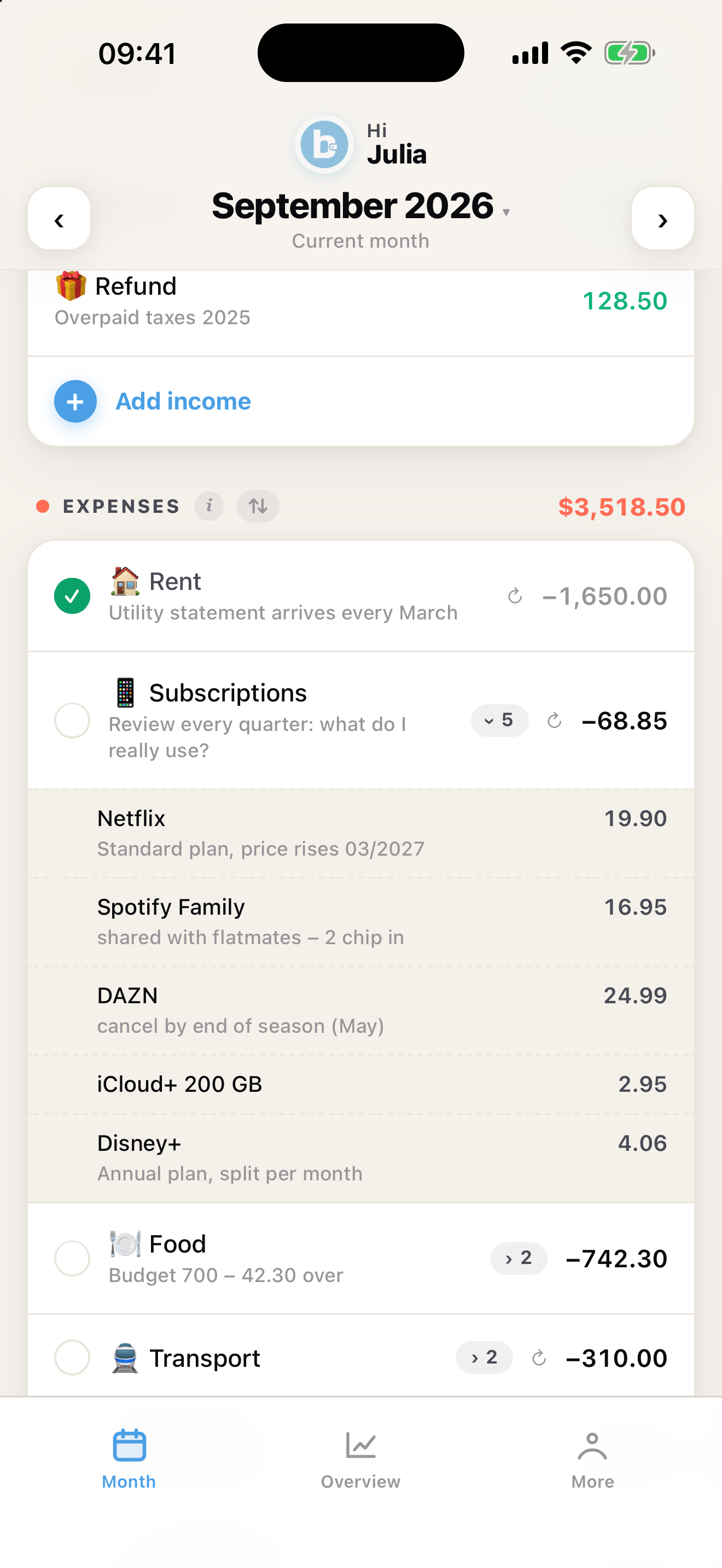
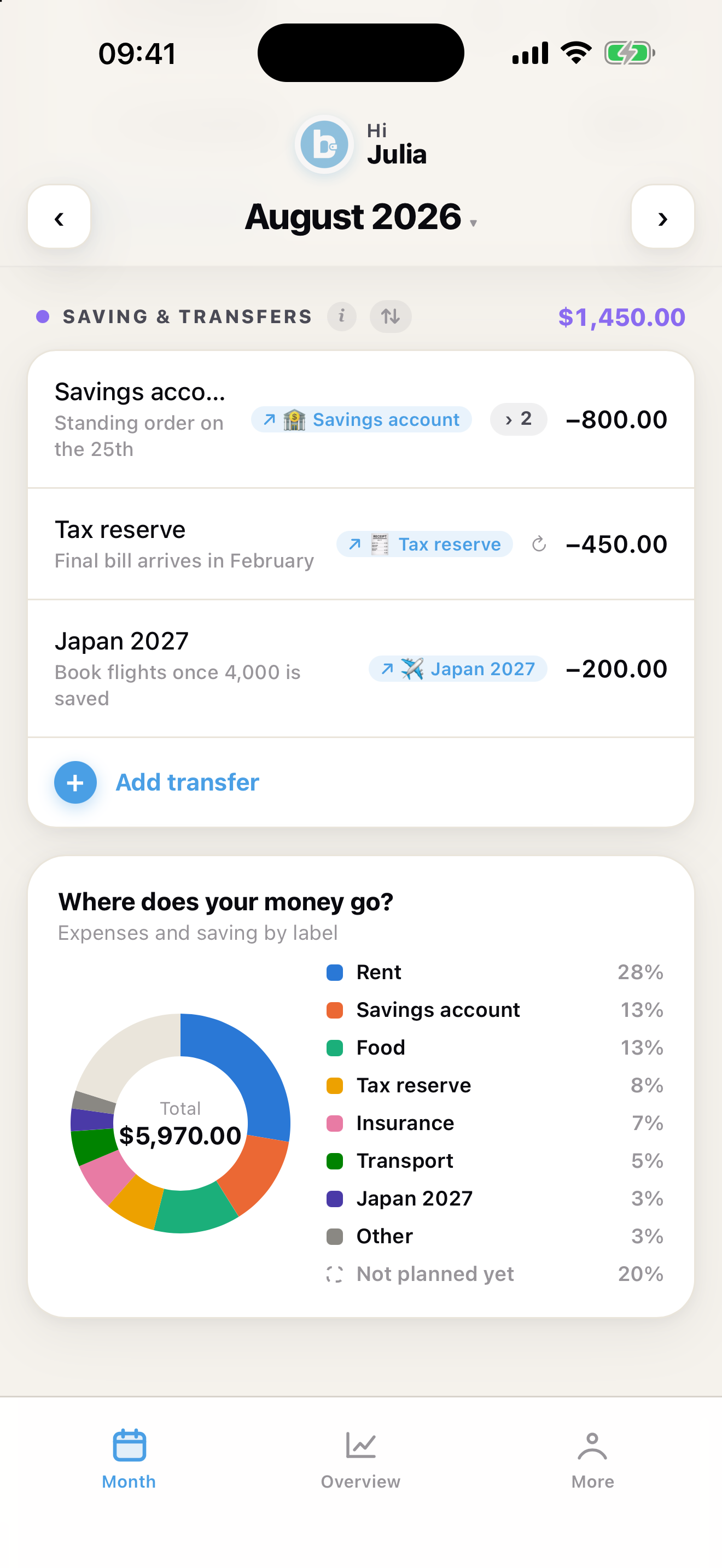
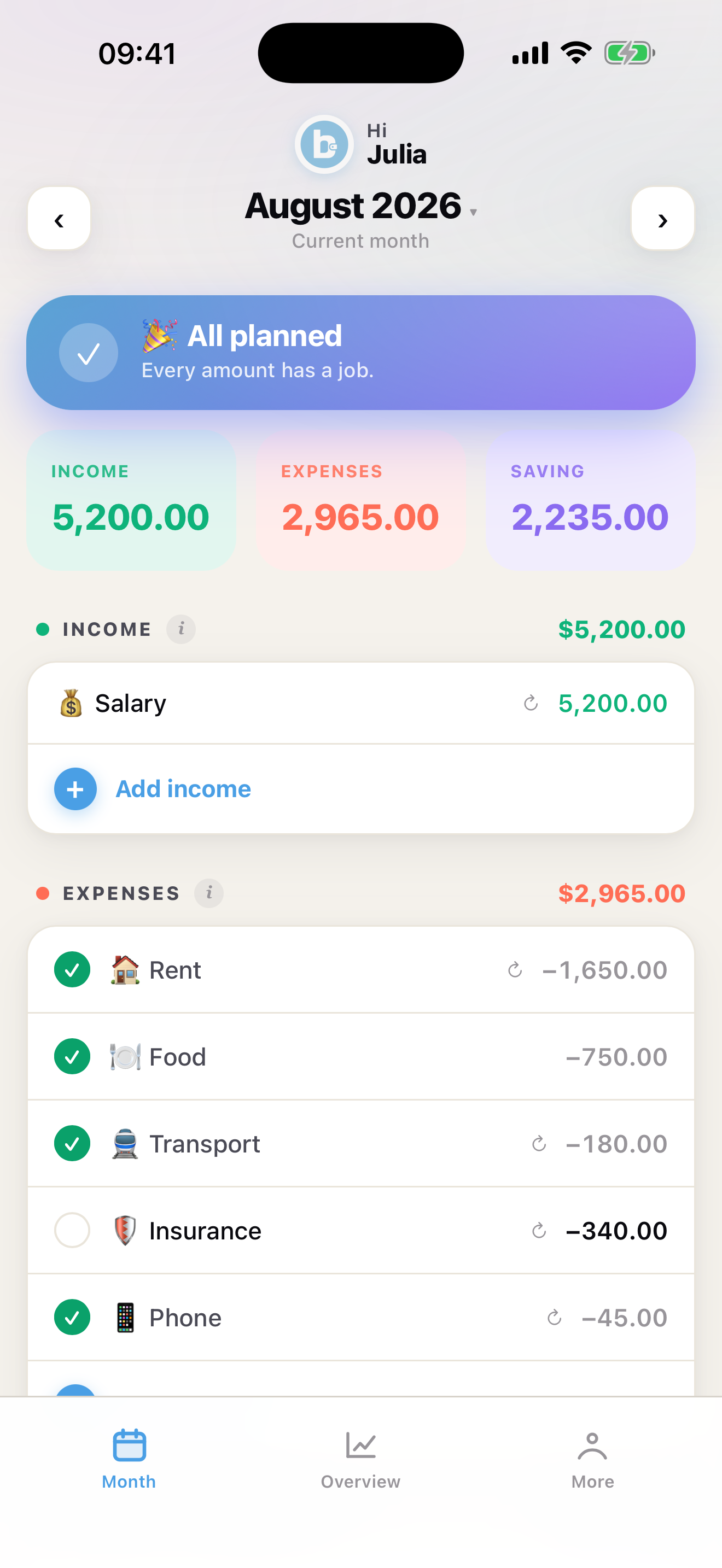
At the start of the month, enter your income, fixed costs and planned expenses. Set savings goals. Budwisea instantly shows whether your month adds up — and what you've already handled. No bank login, no feed, no category-tagging chore.

💰

Assign your income

Rent, food, savings — you decide where your money goes before it's gone.

🔁

Recurring automatically

Set up fixed costs once, Budwisea carries them into every new month.

🎯

Savings goals with forecast

"At 250/month you'll be there in 14 months." Live simulator instead of mental math.

✅

Paid checkmarks

Plan at the start, check off during the month. Never again wonder: "did I do this already?"

📊

Overview that makes sense

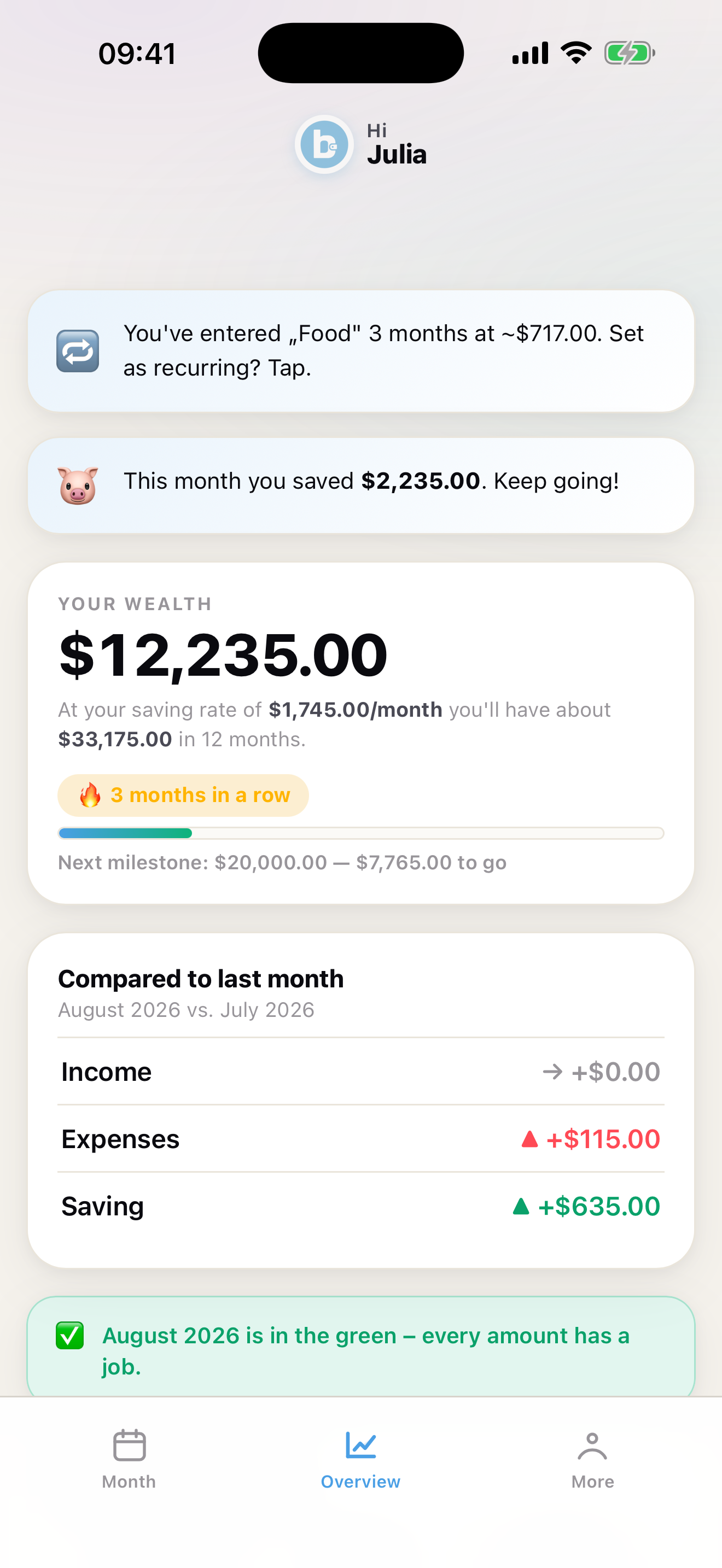
Net worth, saving rate, streak, comparison to last month. In one card instead of ten screens.

🎉

Milestones that motivate

Confetti when you reach goals or hit net worth milestones. Your brain loves small wins.

🧩

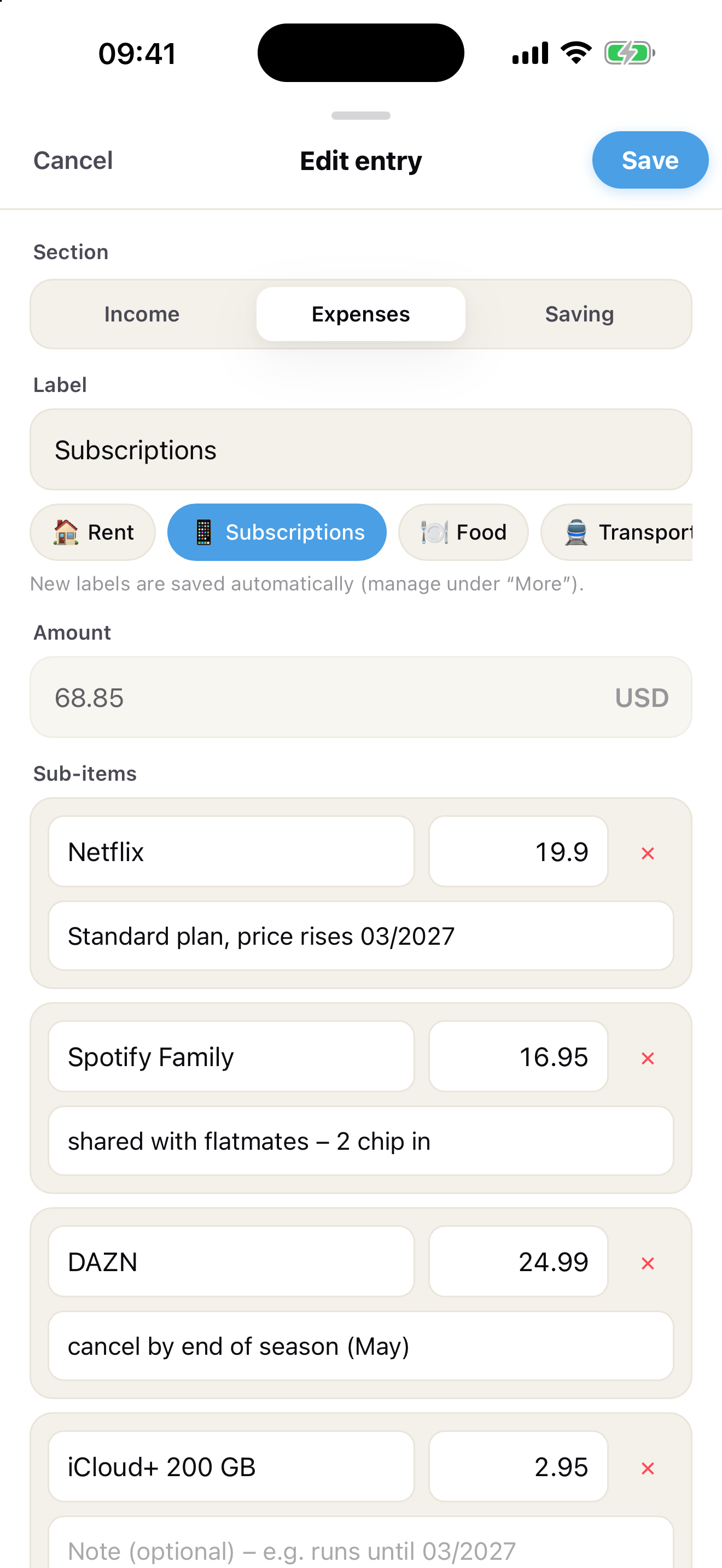
Sub-items & notes

Split "Insurance" into health, household and liability. Add a note for future you. New in 1.2 — see how.

Overview

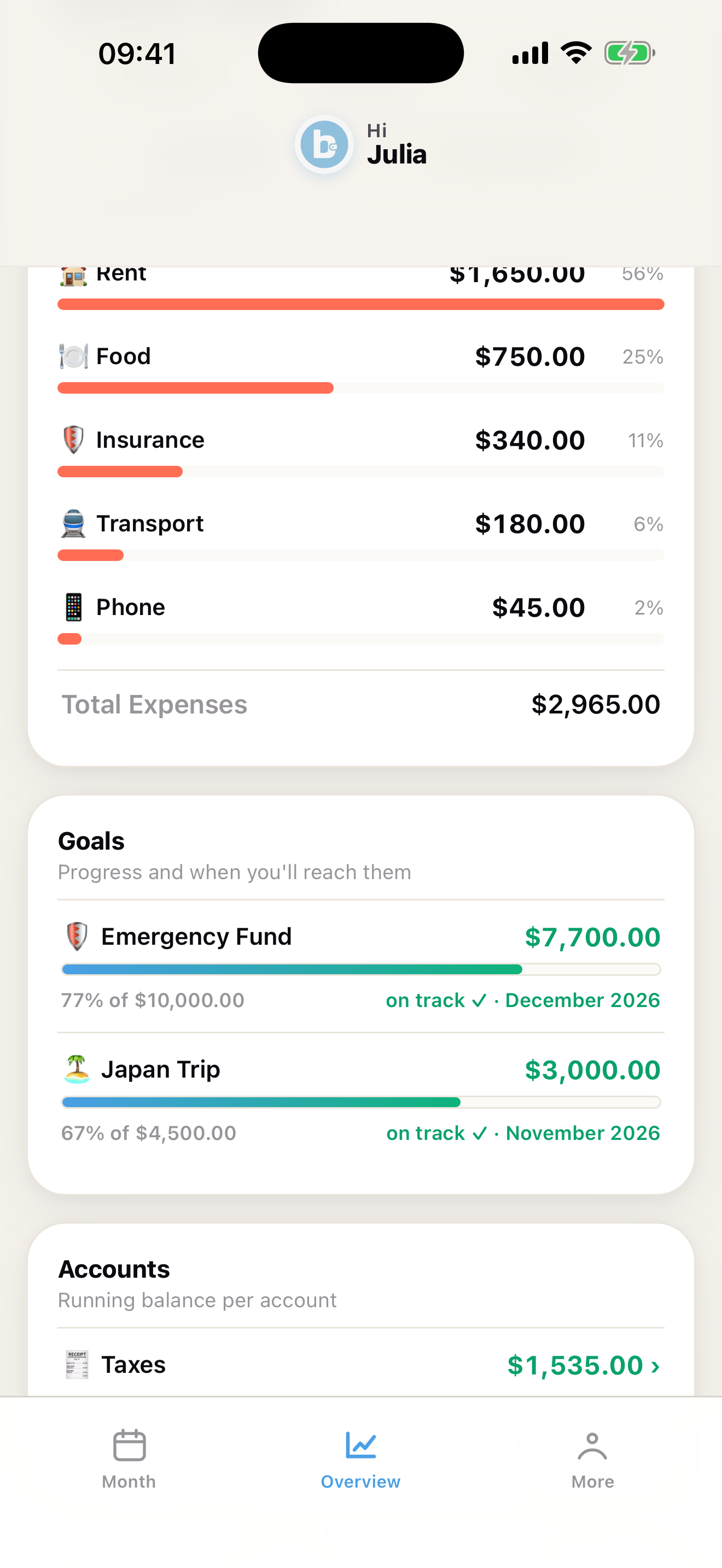
One glance says it all.

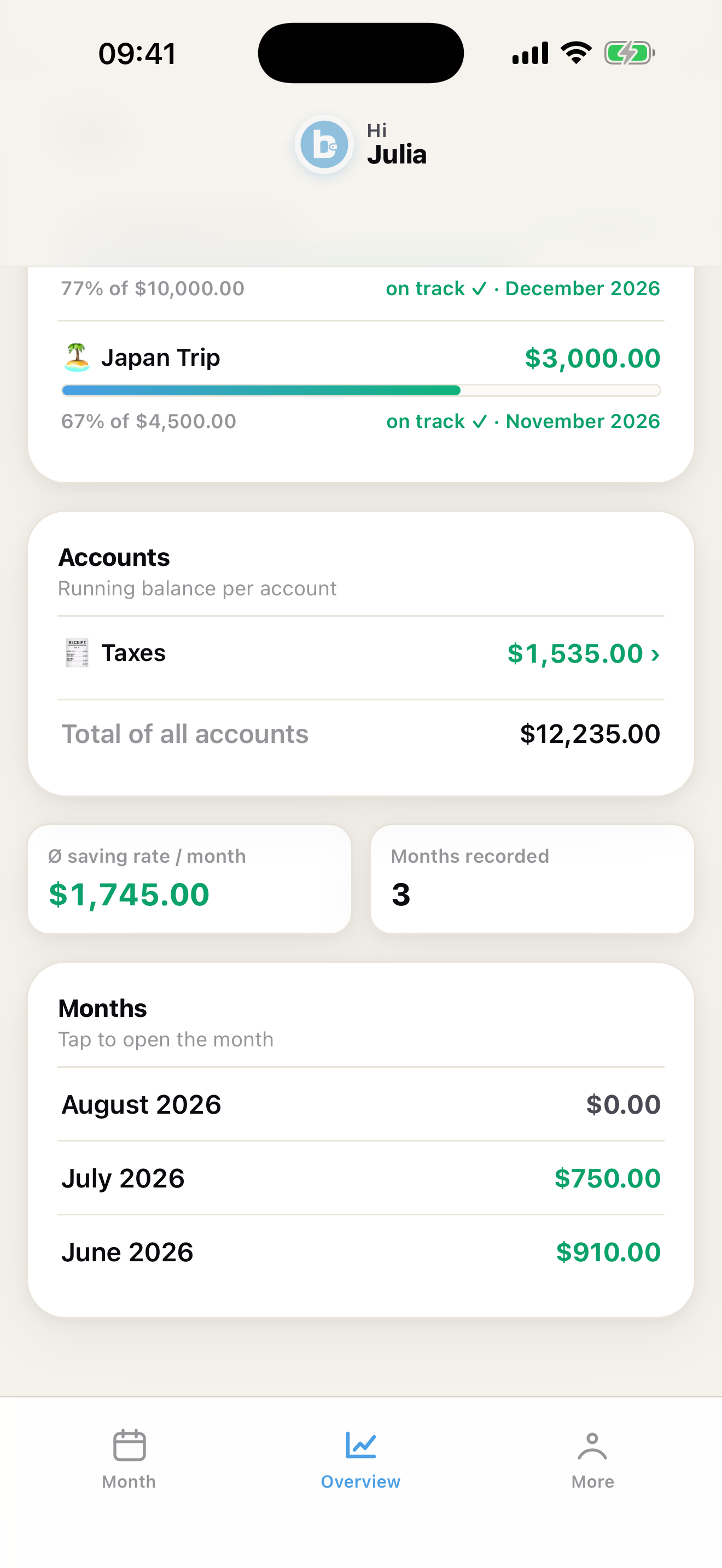
Net worth, savings goals, insights, comparison to last month. No charts you don't understand. No 47 tabs. Just the numbers that matter.

  • Personal insights based on your real patterns
  • Goals with progress & target date
  • Streak: keep the momentum
  • End of December: your year in review
Overview
New in 1.2

Split it. Note it.
Keep it in order.

Version 1.2 makes each entry smarter: break one amount into sub-items, leave yourself a note, and see at a glance how much of your income still has no job.

⇅

Reorder by drag

Entries and labels in the order you think in. The ⇅ button next to a section opens the reorder sheet — recurring entries keep the order in every future month.

👆

Native polish

Swipe down to close any sheet, softer view transitions, subtle haptics. Feels like it belongs on your phone.

🛟

Safer, not stricter

Backup import is validated and asks before replacing data. If Face ID disappears from your device, a one-tap fallback lets you back in — your data stays put.

The full list, with every detail explained, is in the Guide.

Settings
Your app

As simple as it should be.

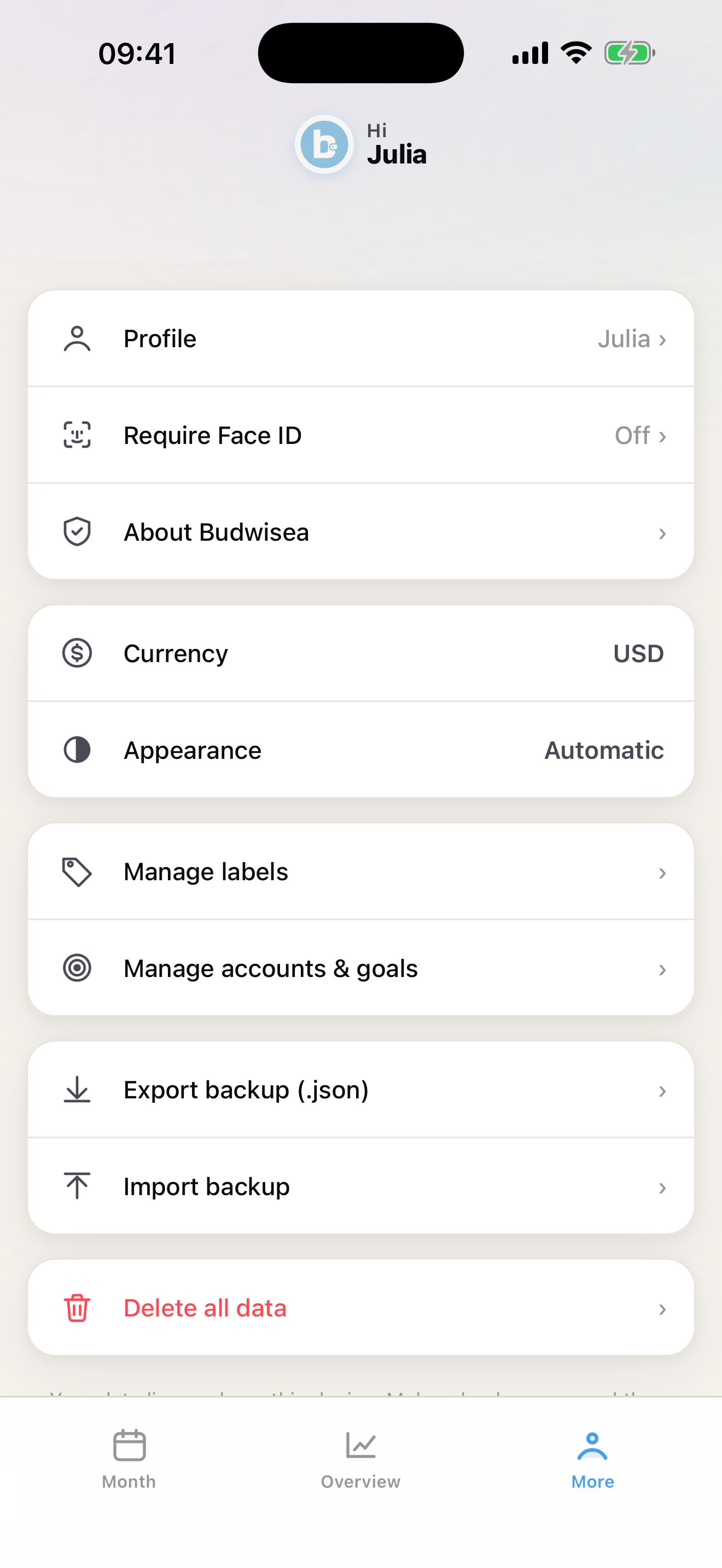
Face ID, dark mode, backup, 10 currencies. Everything you need. Nothing you don't.

  • Face ID: only you get in
  • Automatic dark mode
  • Create custom labels & emojis freely — and drag them into your order
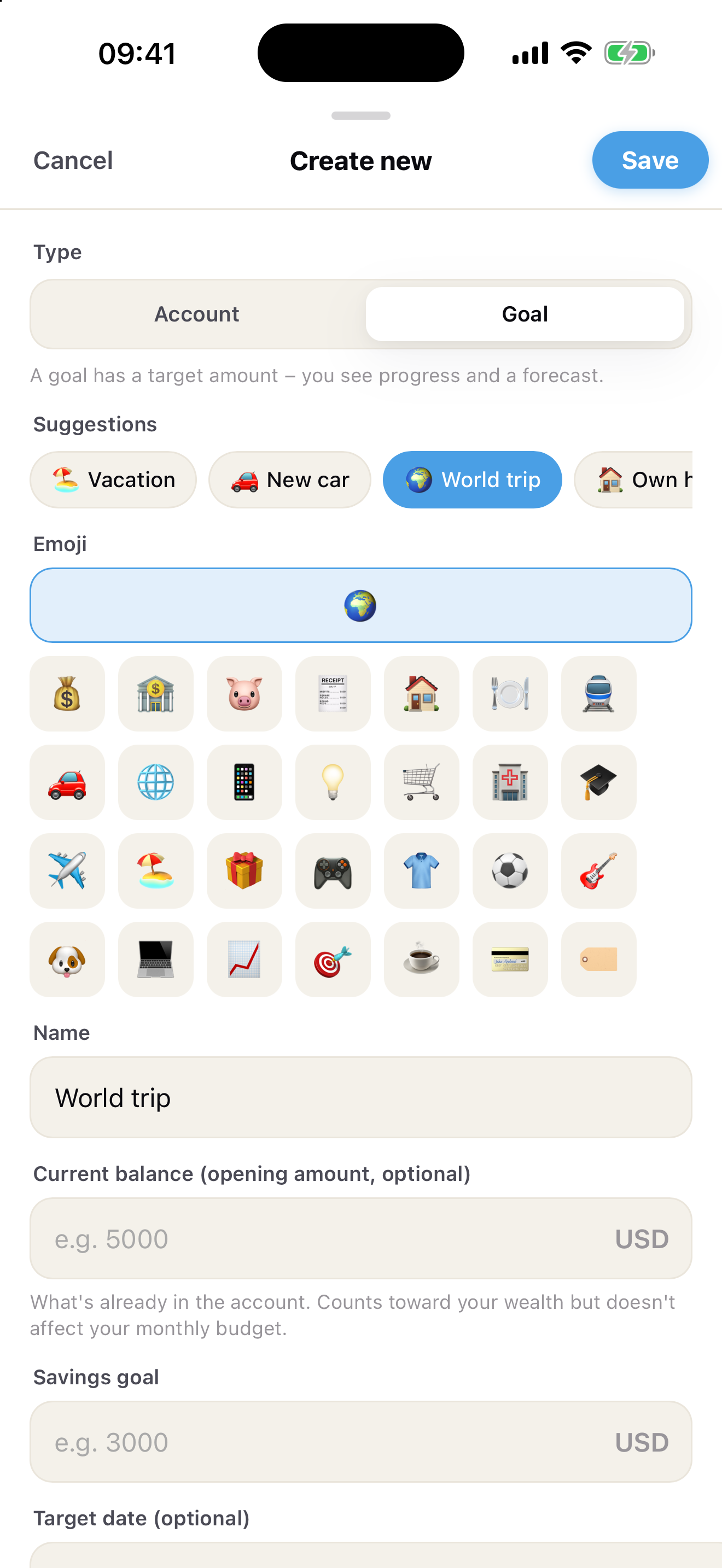
  • Create accounts and savings goals — with presets, progress and forecast
  • Show or hide entry notes in the list with one toggle
  • Backup as JSON — your data, your format
  • 10 currencies: CHF, EUR, USD, GBP, JPY, CAD, AUD, CNY, HKD, SGD
  • 6 languages: Deutsch, English, Français, Italiano, Nederlands, Español
Radically private

A budget app
that really doesn't know you.

Your numbers stay on your device. The app sends nothing to us — no tracker, no analytics. Period.

📵
No cloud, no login
No account, no email, no password. Nothing to forget, nothing to lose.
📴
All on your device
Your financial data goes nowhere. Not to us either.
🚫
Zero trackers in the app
No Firebase, no Google Analytics, no Meta SDK. Zero SDKs.
👁️
Face ID to open
Only you get in. Even if someone has your phone.
One-time
$0.99
No subscription. No in-app purchases. No advertising.
Local pricing at the App Store.
Support & Feedback

Need help?
Got an idea?

Whether it's a question, a bug or a feature request — reach out. We read every message. Support usually within 24–48 hours, and the best ideas land in the next update.

hello@budwisea.com